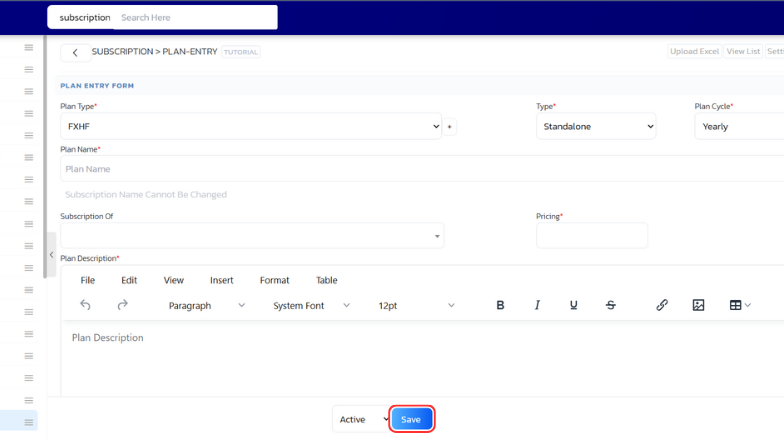
You can add new plan easily using UdyogX.
Stepwise Guide #
- Log in to the software by entering your username and password.
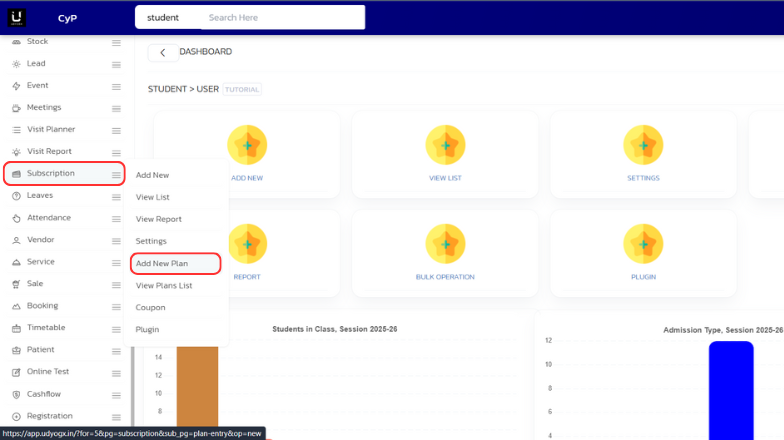
- On the left sidebar, hover over Subscription. A submenu will appear. Click on Add New Plan.
- A page will open. Enter all the required plan details and click on Save.