
With UdyogX, you can easily upload event manager data.
Stepwise Instructions #
- Login to your account using your credentials.
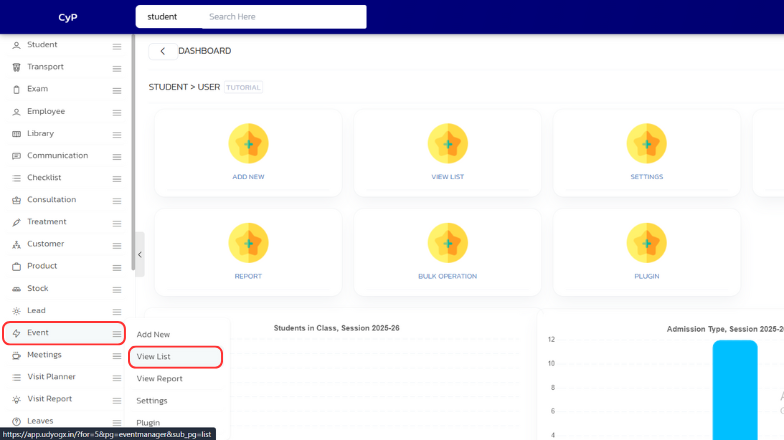
- On the left sidebar, hover on “Event”. A submenu will appear, click on “View List”.
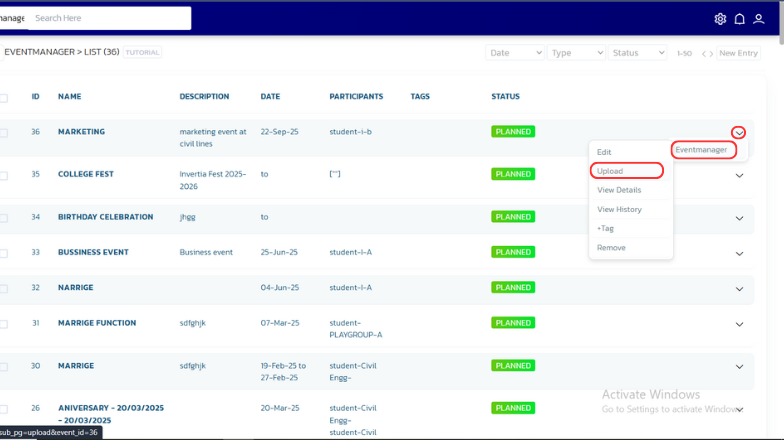
- A list will appear. Whosever documents you want to upload, on the right side, hover on the arrow icon, then hover on “Eventmanager” and click on “Upload”.
- From the list of options , select desired option and then click on the blue “Upload” icon.
- A dialog box will appear, choose the file and click “Open”. The data will be uploaded successfully.


