
Stepwise Guide #
Log in to the software entering your username and password.
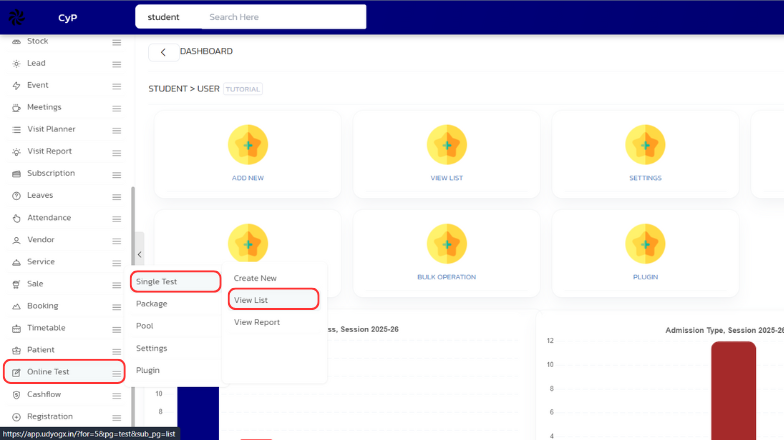
- In the left sidebar menu, go to ‘Online Test > Single Test > View List’.
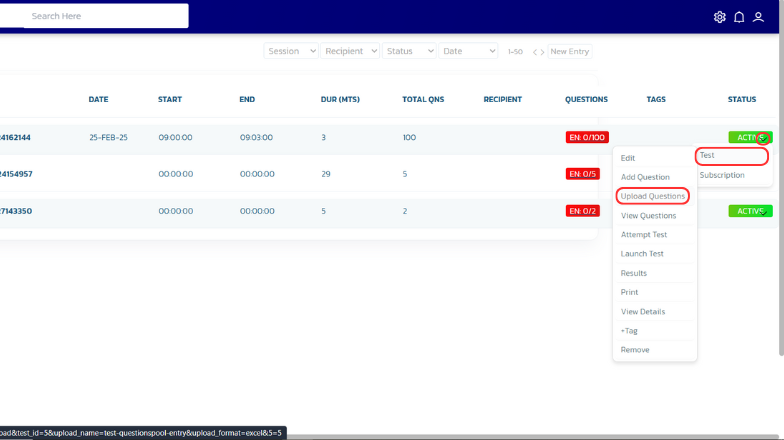
- In the list, find the test, and click on the filter arrow located next to it.
- In the dropdown menu go to ‘Test > Upload Questions’
- On the upload page, choose the document type from the top menu, then drag and drop your file into the designated area and click Upload.
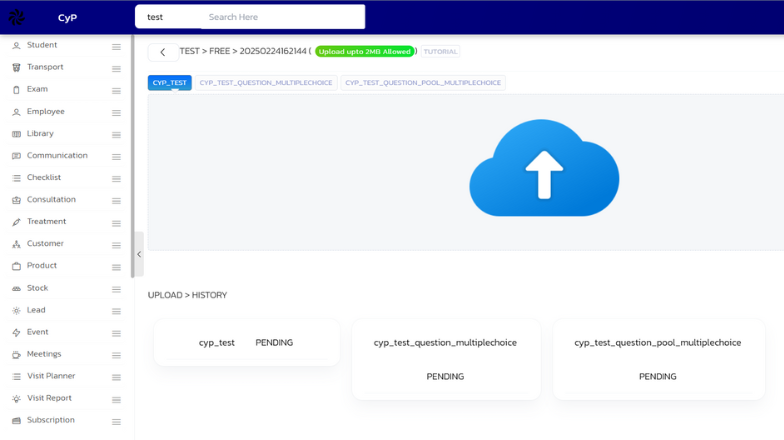
- Your file will now be uploaded.


