
Stepwise Guide #
Log in to the software entering your username and password.
- In the left sidebar menu, go to ‘Product > View List’.

- In the list, find the product , and hover on the filter arrow located next to it.
- A dropdown menu would appear. Select ‘Product > Edit’.
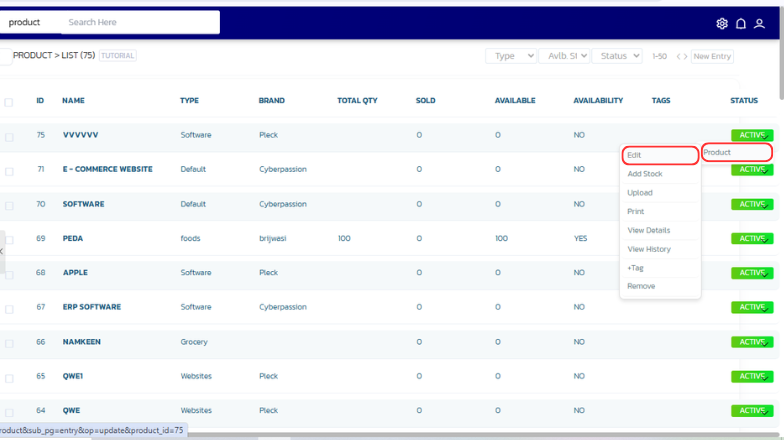
- The entry page will open where you can make changes.
- After making the changes click on ‘Save’ button at the bottom.
- A confirmation modal would appear on successful submission.


