With UdyogX, you can easily upload registration module data in just a few steps.
Stepwise Guide #
1. Login to your account using your credentials.
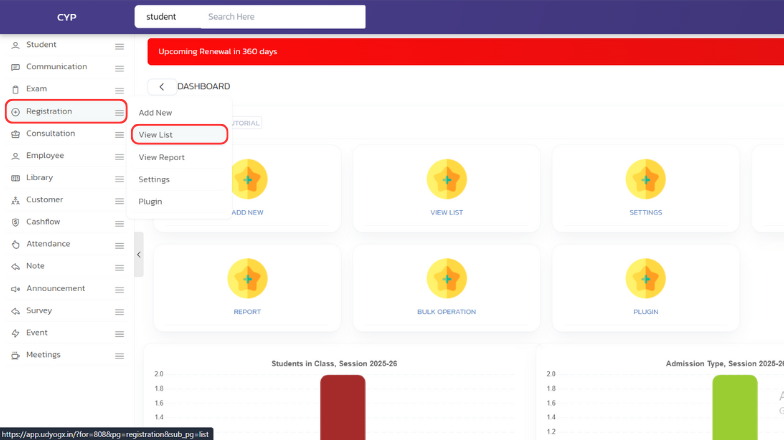
2. Hover on “Registration” and click on “View List”.
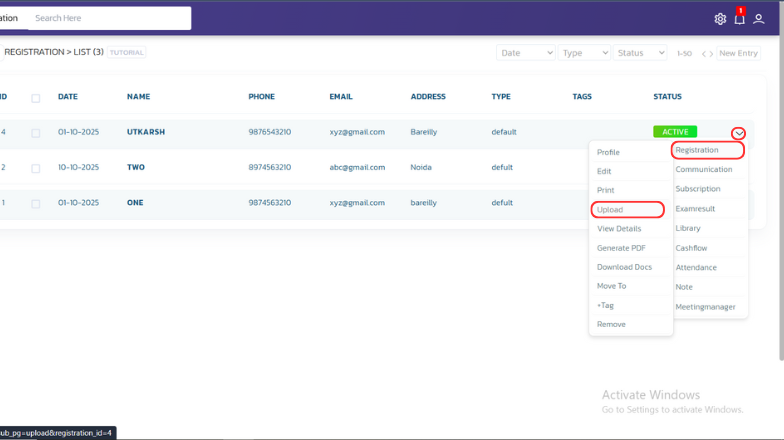
3. A list will open. Whosever data you want to add, on the right side, hover over the arrow icon, then hover on “Registration” and click on “Upload”.
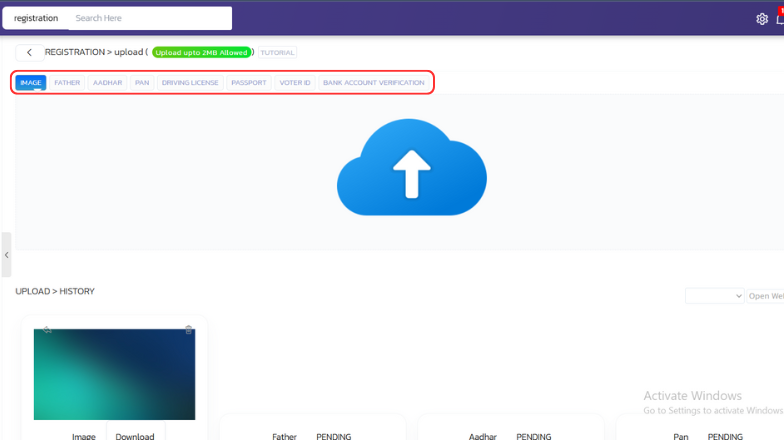
4. A new page will open. Select the type of data you want to upload (for example, “Aadhar Card”, “Voter ID”, etc.), then click on the blue “Upload” icon, select the file, and hit “Open”.