
Video Guide #
Stepwise Instructions #
Log in to the software entering your username and password.
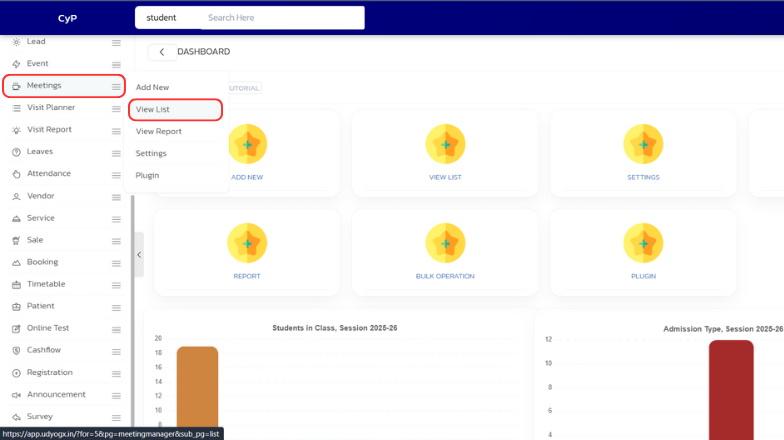
- In the left sidebar menu, go to ‘Meetingmanager > View List’.
- In the list, find the meeting, and click on the filter arrow located next to it.
- In the dropdown menu, click on ‘Remove’
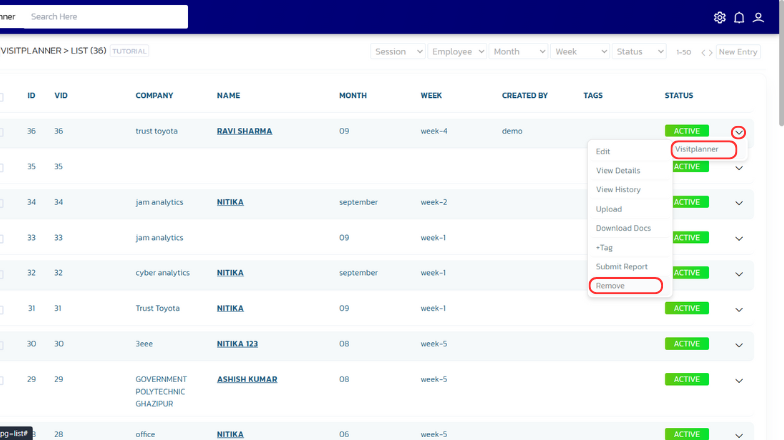
- The entry will now be deleted.


