
Instructions #
Log in to the software entering your username and password.
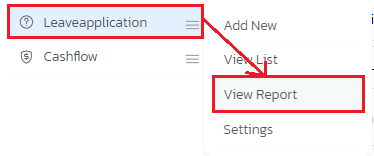
- In the left sidebar menu, go to ‘Leave Application > View Report’.
- A filter page will open. Select the desired filters from the given options and click ‘View Report’.
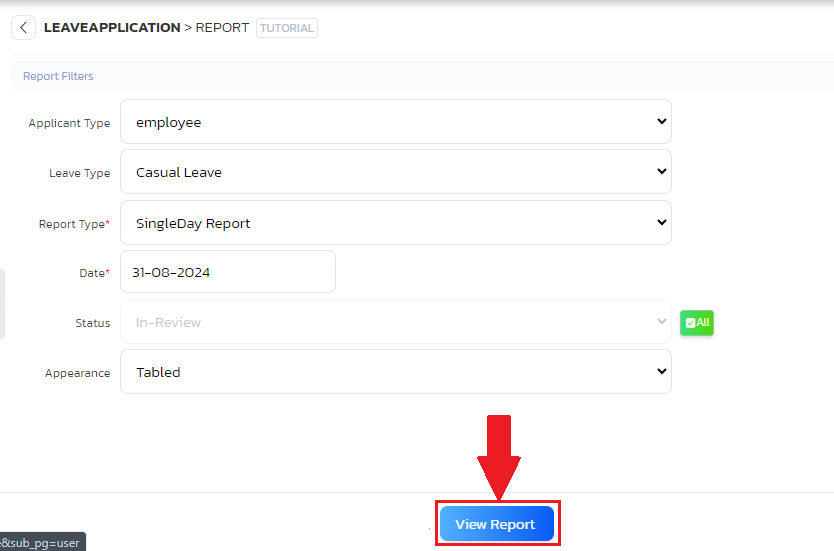
- The report will now be displayed on the page.


