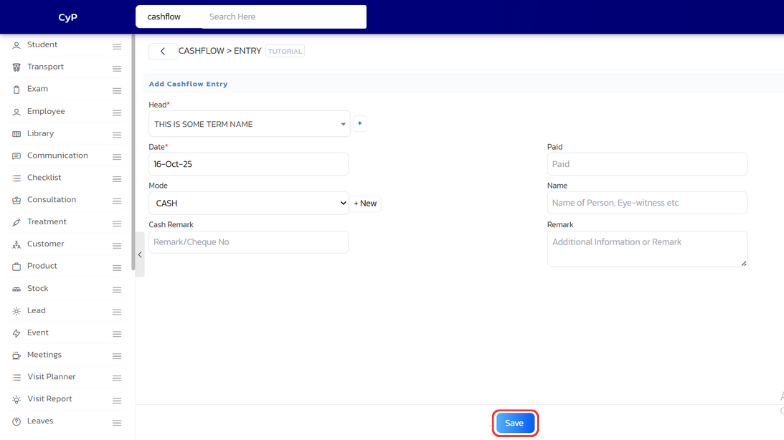
With UdyogX, you can easily add a new online payment entry to your cashflow records.
Stepwise Instructions #
- Login to your account using your credentials.
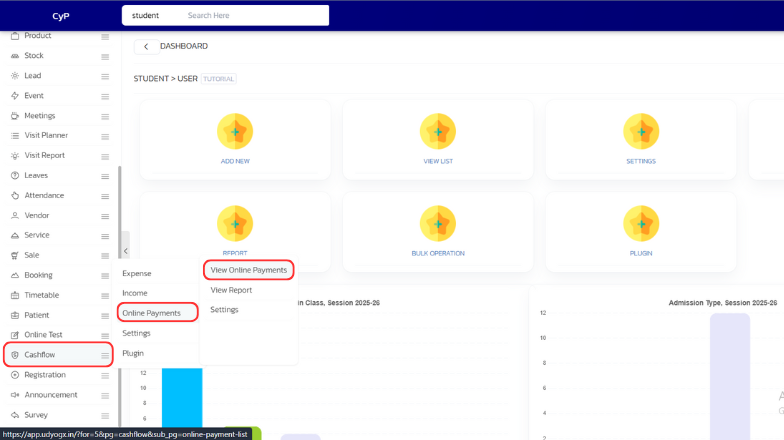
- On the left sidebar, hover on “Cashflow”. A submenu will appear, hover on “Online Payment”. Another submenu will appear, click on “View Online Payments”.
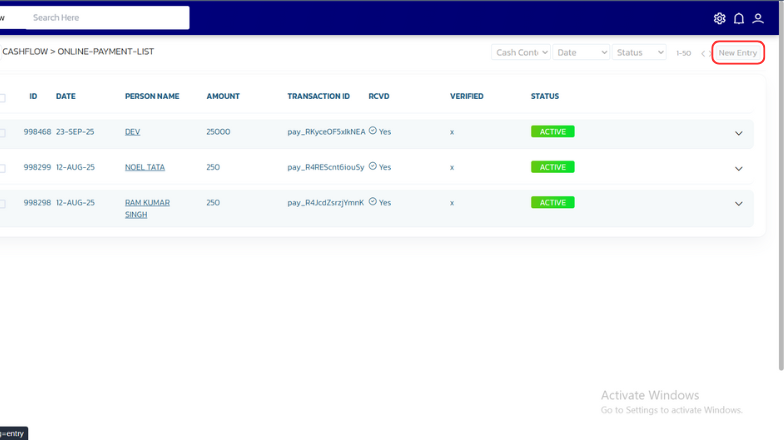
- A page will open. On the top right corner, click on “New Entry”.
- A new page will open. Enter the required details and click on “Save” to add the entry.