
Follow these steps to View Student Day Cash Report in UdyogX.
Stepwise Instructions #
Log in to the software entering your username and password.
-
Login to your account using your credentials.
-
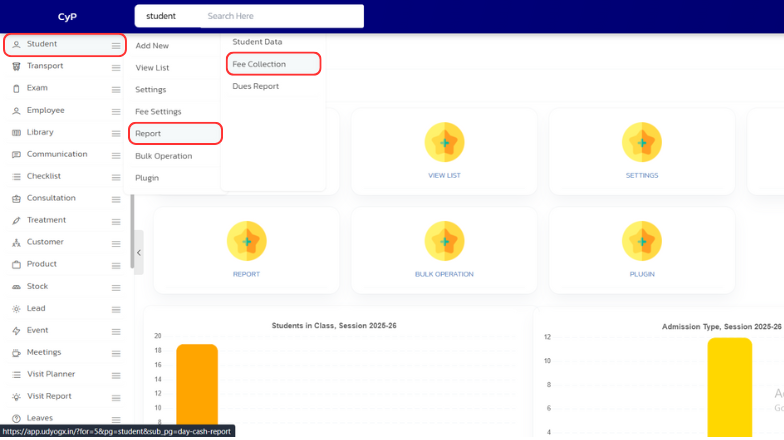
On the left sidebar, hover on “Student”. A submenu will appear, hover on “Report”, then click on “Fee Collection”.
-
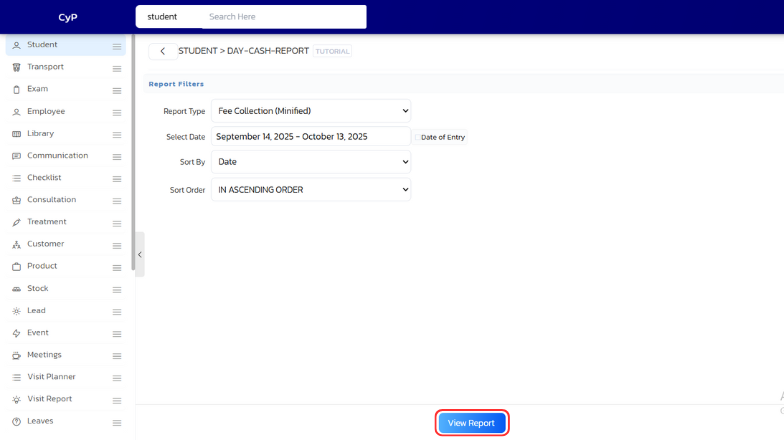
A page will open, click on “View Report” at the bottom to generate and view the report.
Video Guide #


