
Stepwise Guide #
Log in to the software entering your username and password.
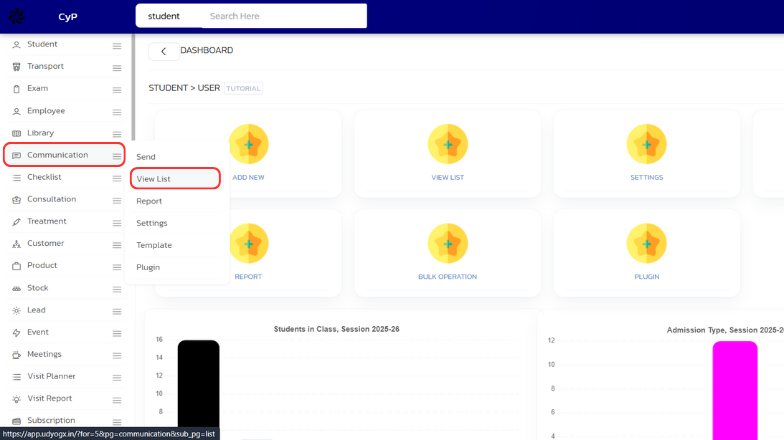
- On the left sidebar, hover over Communication. A submenu will appear. Click on View List.
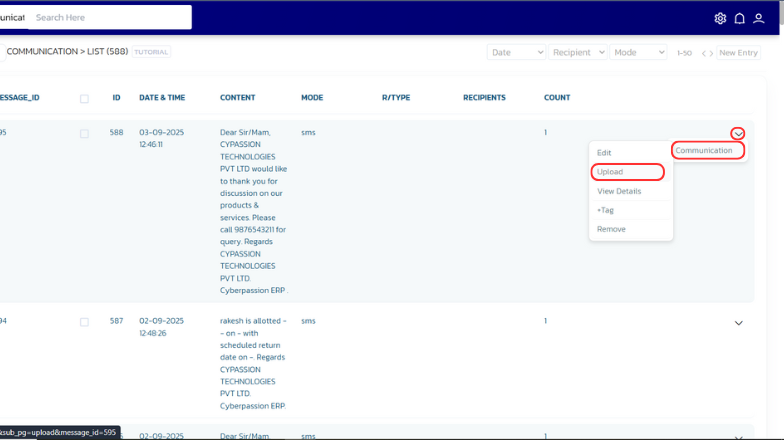
- A list will be displayed. On the desired entry, go to the right side and hover over the Arrow icon. Then hover over Communication and click on Upload.
- A page will open. Upload the required files.


