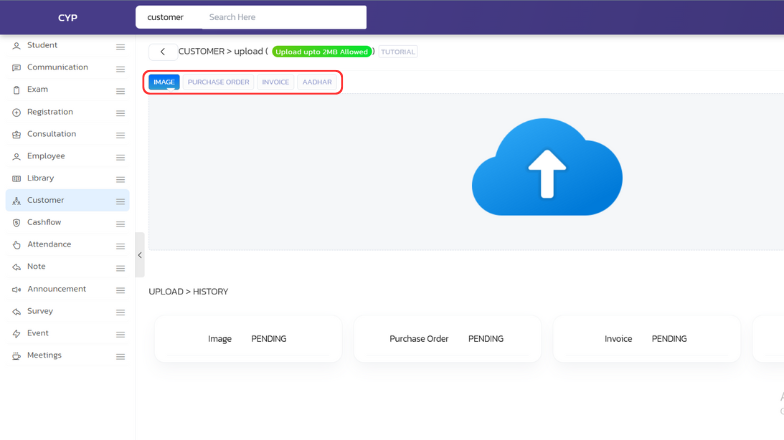
With UdyogX, you can easily upload customer-related documents or data.
Stepwise Instructions #
-
Login to your account using your credentials.
-
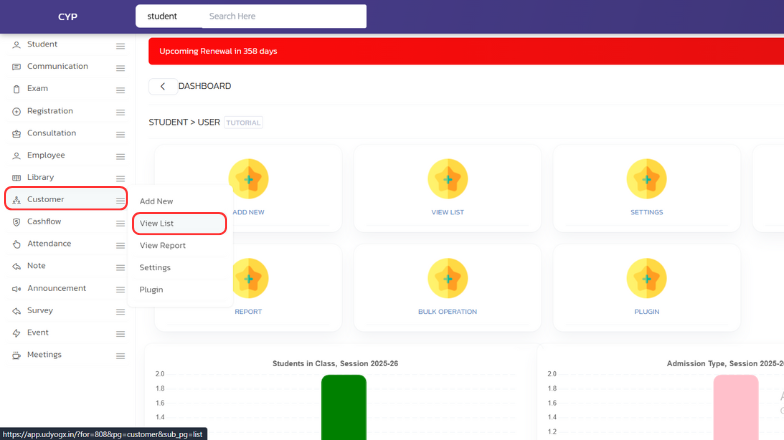
On the left sidebar, hover on “Customer”, then click on “View List”.
-
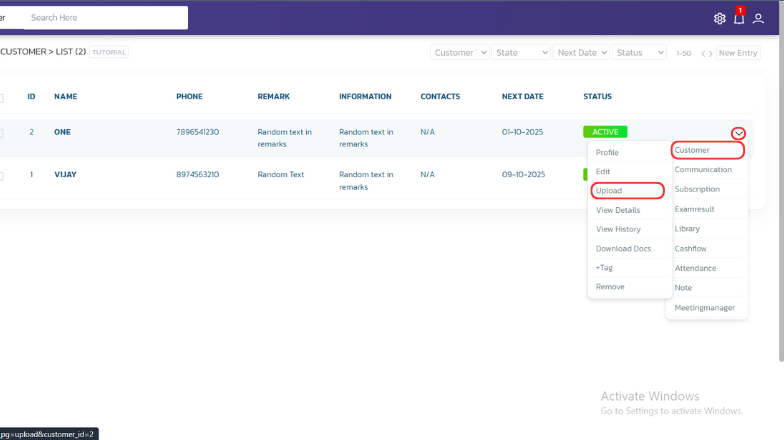
A list will open. Whosever data you want to add, on the right side, hover on the arrow icon, then hover on “Customer” and click on “Upload”.
-
Select the type of data you want to upload, click on the blue “Upload” icon, choose your file, and click “Open” to complete the upload.