
With UdyogX, you can easily upload employee-related documents directly from the employee list.
Stepwise Instructions #
-
Login to your account using your credentials.
-
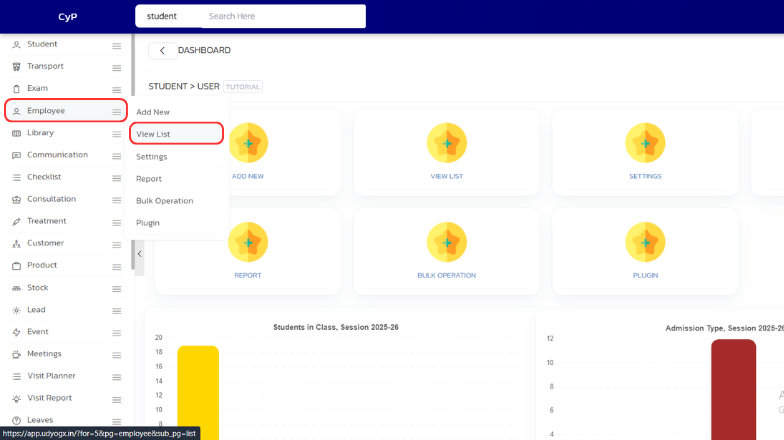
On the left sidebar, hover on “Employee”. A submenu will appear, click on “View List”.
-
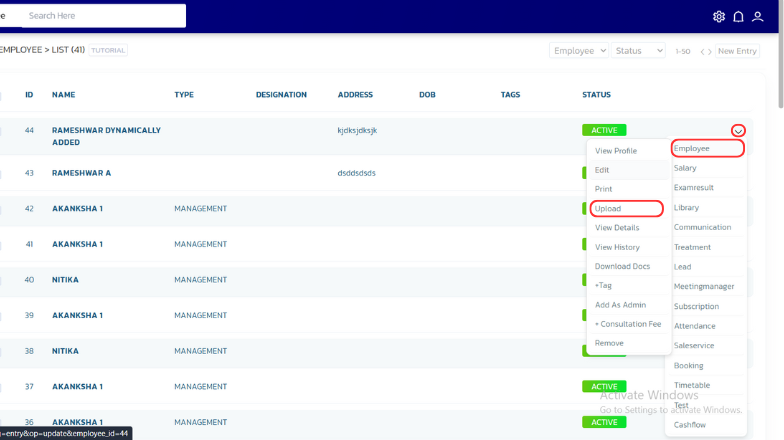
A list of employees will appear. Whosever employee data you want to upload, on the right side, hover on the arrow icon. A submenu will appear — hover on “Employee”, another submenu will appear, click on “Upload”.
-
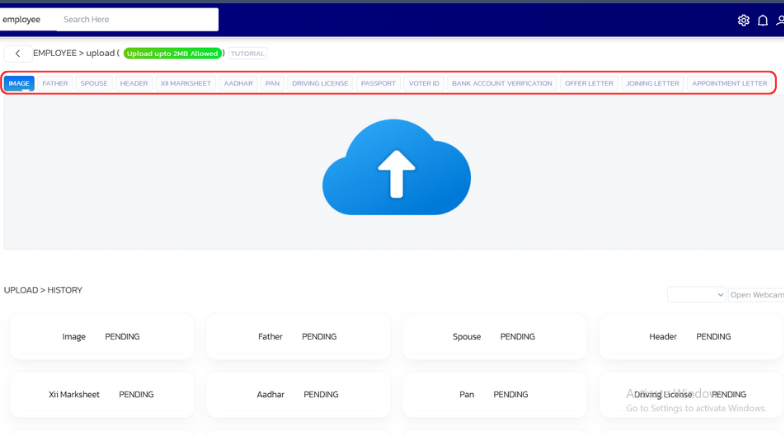
A page will open. Select the document you want to upload from the list at the top, then click on the blue “Upload” icon, choose the required document, and click on “Open”.
-
Similarly, upload other documents as needed.


