
This section allows you to add details of new buildings, such as name, location, and facilities, to streamline and organize the booking process effectively.
Stepwise Guide #
Log in to the software entering your username and password.
- In the left sidebar menu, go to ‘Booking > Add Building’.
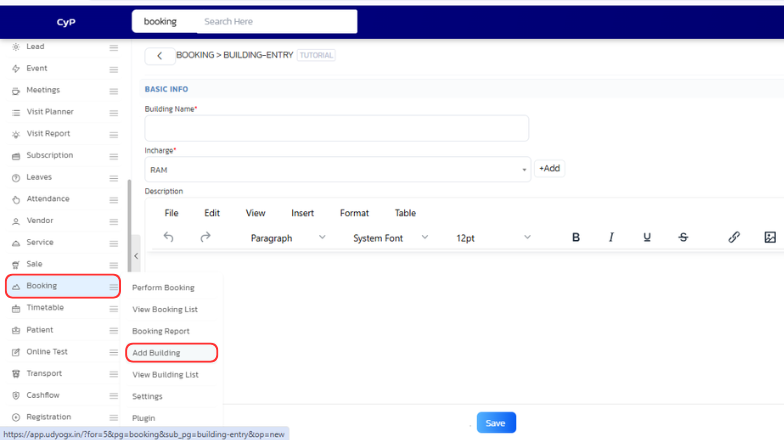
- A form will open with the following fields:
- Building Name: Enter the Building details.
- Incharge: Choose the incharge or other name add click ‘+Add’ and enter incharge name then
Save. - Description: Enter the content of the Building.
- After filling out the form, click
Save.


