Stepwise Guide #
Log in to the software entering your username and password.
-
Login to your account using your credentials.
-
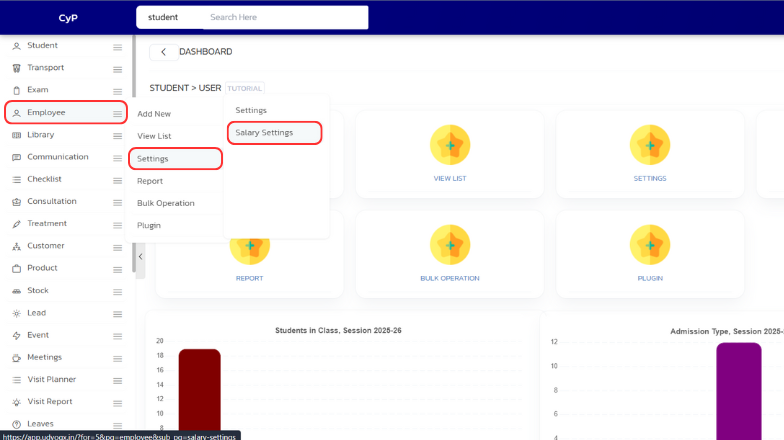
On the left sidebar, go to “Employee” > “Settings” > “Salary Settings”.
-
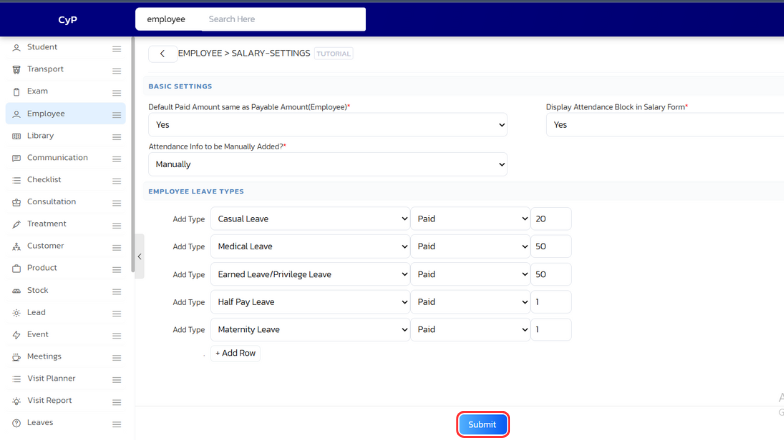
Adjust the settings as needed and click on “Submit” to save the changes.