
Video Guide #
Stepwise Instructions #
Log in to the software entering your username and password.
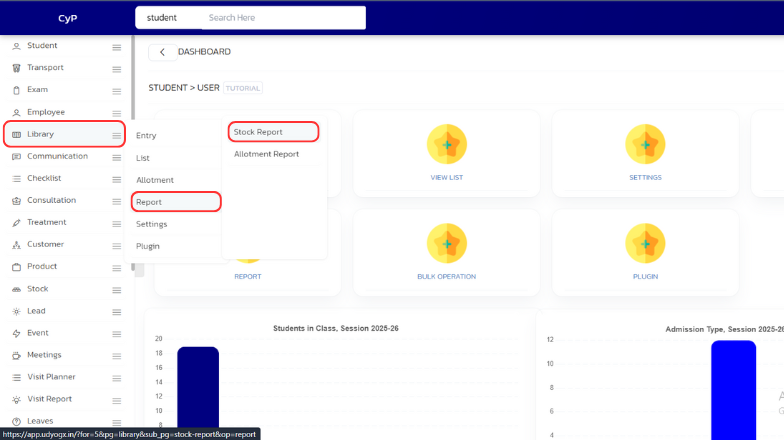
- In the left sidebar menu, go to ‘Library > Report > Stock Report’.
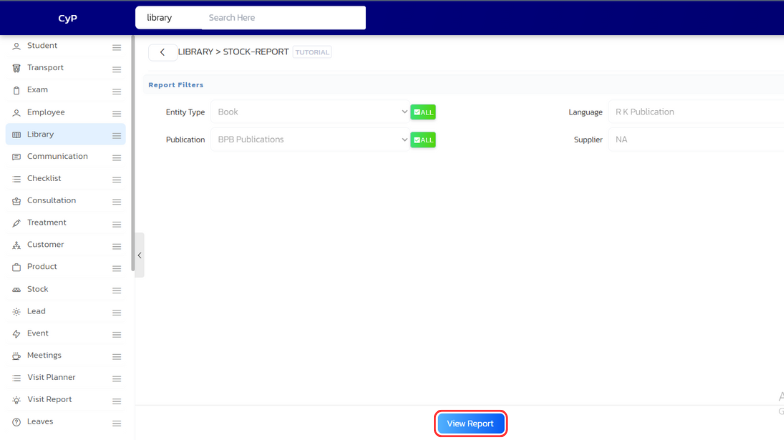
- Choose the ‘Entity Type’, ‘Language’, ‘Publication’ and ‘Supplier’ and click on ‘View Report’
- The report page will now open with the details of all the books and their quantity
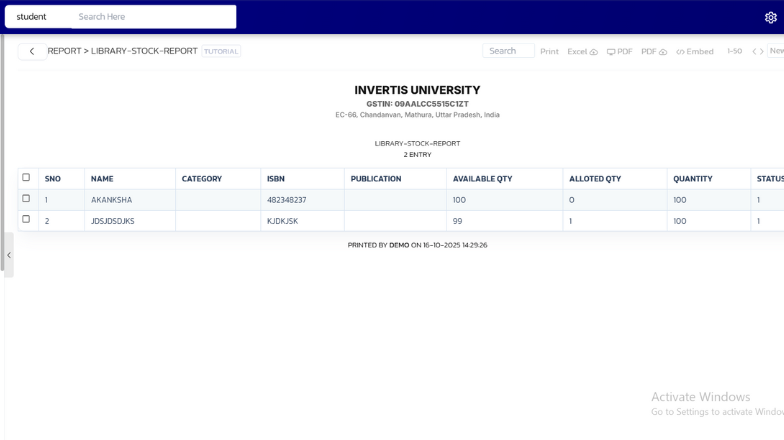
- You can print the report by clicking on the print button or pressing CTRL+P


