
Stepwise Instructions #
Follow these steps to Get Consultation Report
- Log into the Software
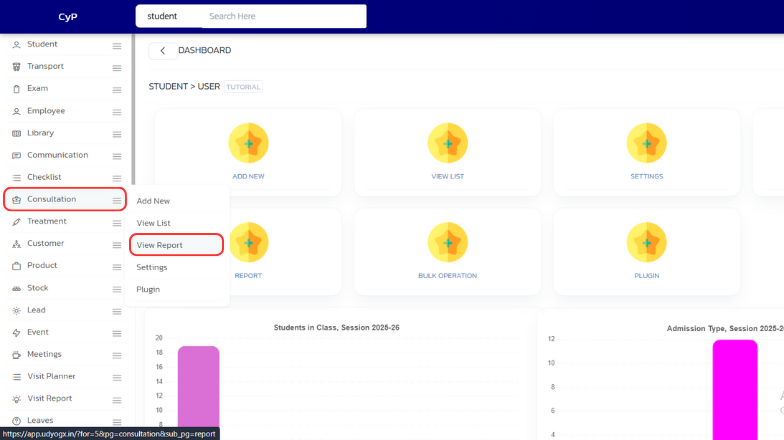
- Hover on “Consultation” module visible on the left sidebar menu.
- Click on “View Report” submenu that appears.
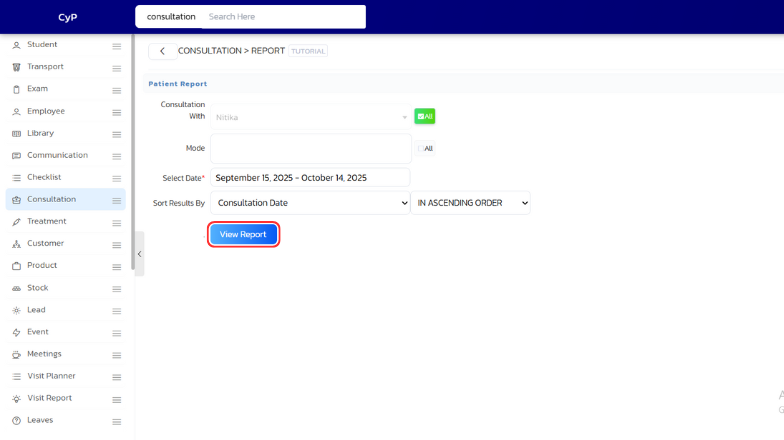
- In the form that appears, Apply filters accordingly like “Consultation With”, “Select Date”, “Sort Result By”, “Mode”
- Click on “View Report” button to view the Consultation.
By following these steps, you will successfully get the report of Consultations in the Consultation module.


